

https:// repositories use the stored credentials, and which repositories use the review publishing settings.
You can configure one Other Git host:
- HTTPS credentials apply only to
https://URLs on that host. - The SSH key is used for every
ssh://clone.
refs/for/{branch}.
These hosts have no GitHub-style webhooks. Drive re-indexing on merge from your CI, for example Jenkins, by calling
POST /api/projects/<id>/refresh after a push. Use POST /api/gitops/reconcile when your GitOps manifest changes.HTTPS (basic auth)
Enter the host, select HTTPS, and fill in the account credentials: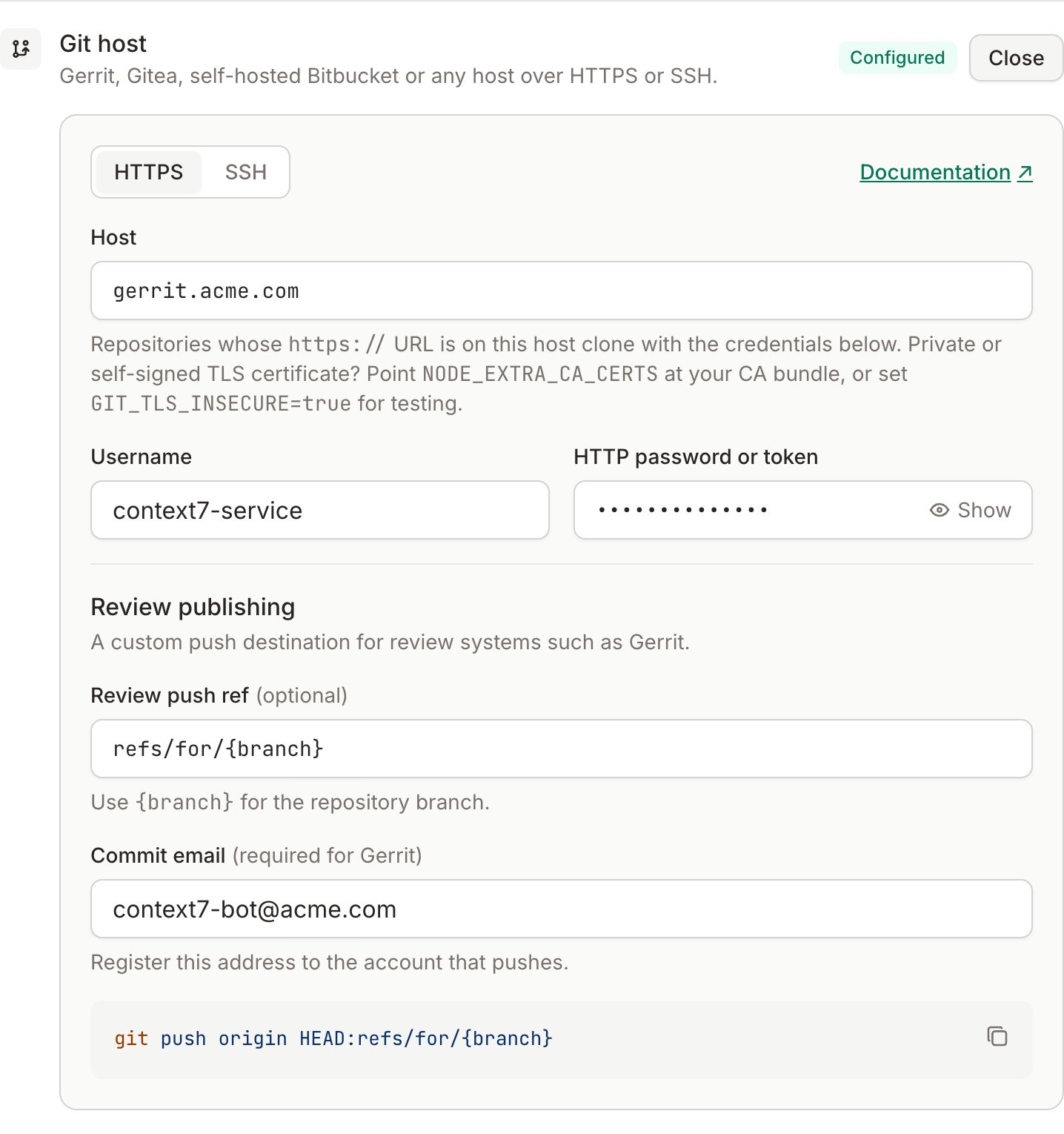
Then add a repository with its HTTPS clone URL, for example
https://gerrit.your-company.com/a/platform/sdk.
Does your host use a private or self-signed TLS certificate? Set
NODE_EXTRA_CA_CERTS to your CA bundle (recommended). Context7 then trusts it for all outbound HTTPS, including git.GIT_TLS_INSECURE=true turns off TLS checks for all outbound HTTPS, not only git. Use it for testing only.Always use https:// for clones with credentials. Context7 logs a warning for a plain http:// host that is not on loopback.SSH (deploy key)
When a repository is added with anssh:// URL, for example ssh://<user>@gerrit.your-company.com:29418/platform/sdk, Context7 authenticates with a deploy key. Select SSH, and register the key’s public half on a service account in your Git host that can read the repositories you want to index. Then give Context7 the private half one of two ways. The key is used for every ssh:// clone, whatever the host. If you use review publishing over SSH, also enter the host on the HTTPS tab.
Paste the key in the UI (recommended)
On the SSH tab, paste the private key. It is stored encrypted and used for allssh:// clones. Optionally paste a known_hosts entry to pin the host key; if you leave it blank, the host key is trusted on first use.
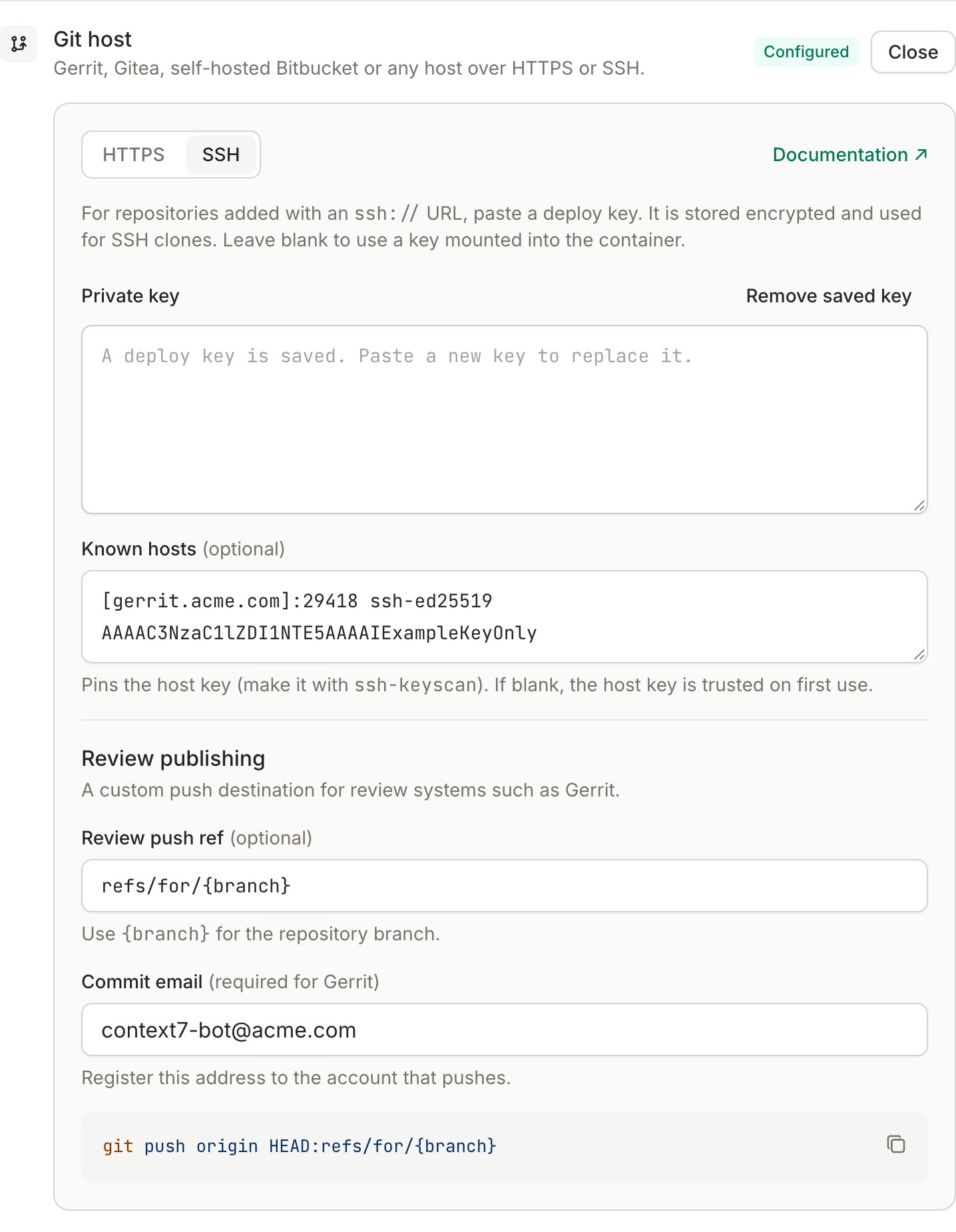
known_hosts entry with ssh-keyscan, for example:
ssh:// URL and they clone with the pasted key.
Mount a key into the container (alternative)
If you prefer the private key never touch the application (it is never written to the database or included in backups), mount it into the container instead and point Git at it withGIT_SSH_COMMAND. Leave the UI SSH key blank, and a mounted key is used whenever no key is configured in the UI.
- Kubernetes
- Docker
The on-premise image ships with an SSH client, so no extra packages are needed either way.
Add a repository
Once the host is configured, add repositories the same as any other source:1
Open Add source
Click Add source and choose the Other Git source.
2
Paste the clone URL
Enter the repository’s clone URL. The scheme selects how it authenticates:
- HTTPS:
https://gerrit.your-company.com/a/platform/sdk(uses the HTTPS credentials above). - SSH:
ssh://<user>@gerrit.your-company.com:29418/platform/sdk(uses the deploy key).
3
Parse
Context7 clones, indexes the documentation, and serves it over MCP. Re-index later with the project’s Refresh action or from CI. See GitOps.