

dev.azure.com) and Azure DevOps Server 2020 or later.
An admin connects Azure DevOps once, then adds libraries. Each library is one project with a set of filters, and each work item becomes one page. To index wikis and Git repositories, see Wikis and repos.
What is indexed
Each work item page contains:- The ID, type and title.
- A details line: state and reason, area, iteration, priority, severity, assigned to, tags, parent, and the created and changed dates.
- The rich-text fields: description, acceptance criteria, repro steps, system info and resolution, and the CMMI justification, proposed fix and analysis.
- The custom fields of your process, under their display names. Short values go in the details line. Long text and HTML fields get their own section.
- Up to 200 comments, when Include comments is on. Deleted comments are left out.
- Tests and Tested by links: the test cases of a requirement, and the requirements of a test case, with their titles.
Test plans
Context7 also indexes Azure Test Plans:- Test cases: the steps in order, each with its expected result. Shared steps are shown in place, and the parameter values are a table, from the test case or from its shared parameter sets.
- Test plans: the suite tree, with the test cases of each suite. Static, requirement-based and query-based suites are included.
- Test suites: the plan, the path in the plan, the suite type, the requirement or query, and the test cases.
- Each test case page lists the suites that contain it, for example
Release 3.2 Regression › Bluetooth.
Connect Azure DevOps
Open Workspace Settings › Azure DevOps, choose an authentication method, and fill in the fields. Choose Test connection, which shows how many projects the credential can see, then save.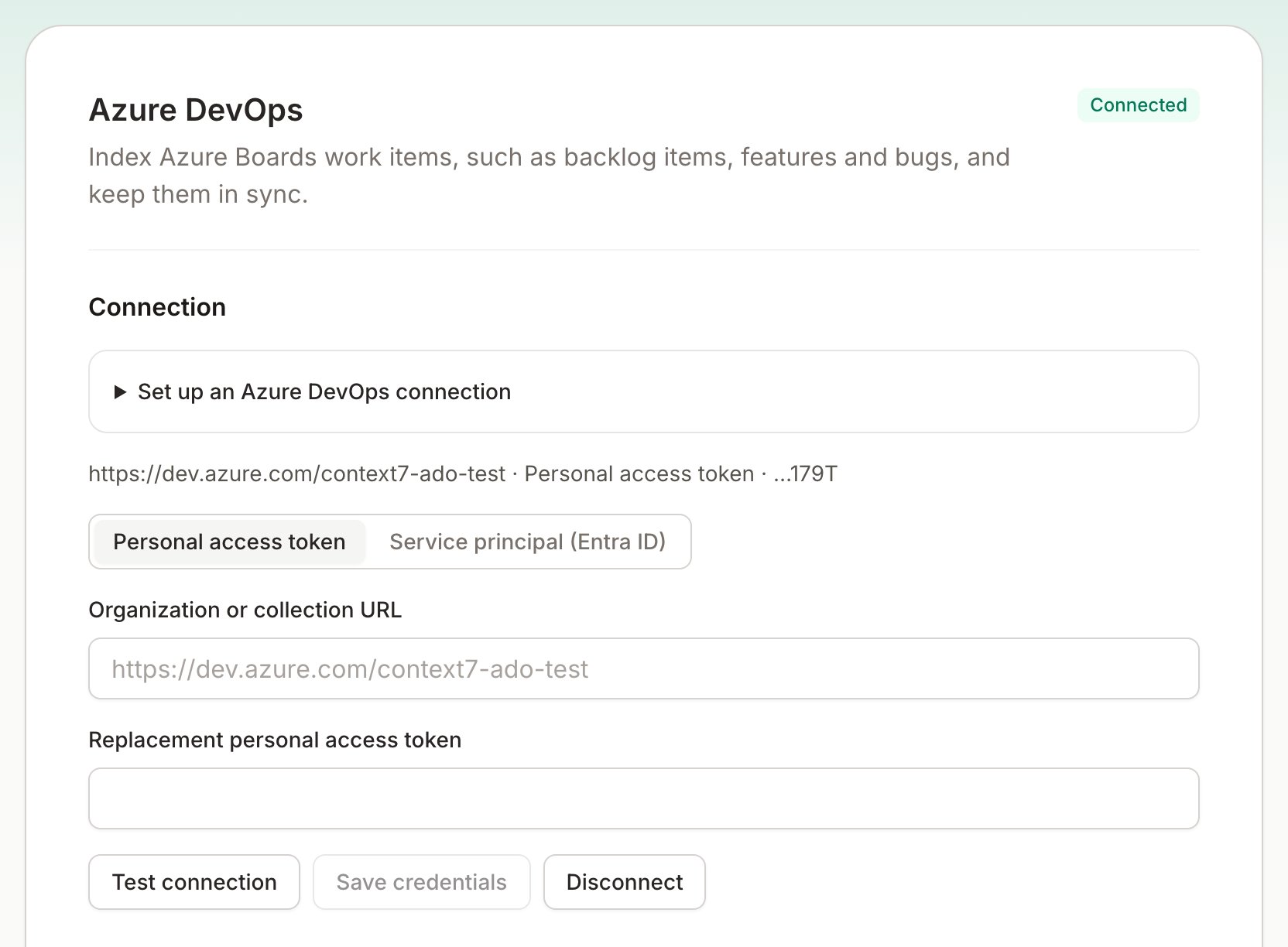
Context7 stores the credential encrypted. You can replace it at any time: libraries are tied to the organization URL, not to the credential.
- Personal access token
- Service principal (Entra ID)
Works with Azure DevOps Services and Azure DevOps Server.Tokens expire. Paste a new token before the old one expires. A service principal on Azure DevOps Services does not expire in this way.
1
Create the token
Sign in as a service account that can read the projects to index, not as a person. Open User settings → Personal access tokens and create a token with the Work Items (Read) scope. To index test plans and suites, also add Test Management (Read).
2
Connect Context7
Select Personal access token, enter the organization URL, paste the token, and choose Test connection. Then save.
Azure DevOps Server: use
https://, because the credential goes with every request. Azure DevOps Services always uses https://. For an internal server without TLS, set AZURE_DEVOPS_ALLOW_HTTP=true. For an internal or self-signed certificate, set NODE_EXTRA_CA_CERTS to your CA bundle.Add a library
Click Add source and choose Azure DevOps. Only admins can add Azure DevOps libraries.1
Name the library
Enter a title, for example
Radar bugs, and optionally what the work items cover.2
Choose the project and filters
Leave a filter empty to include everything it covers. Matches shows how many work items the filters select.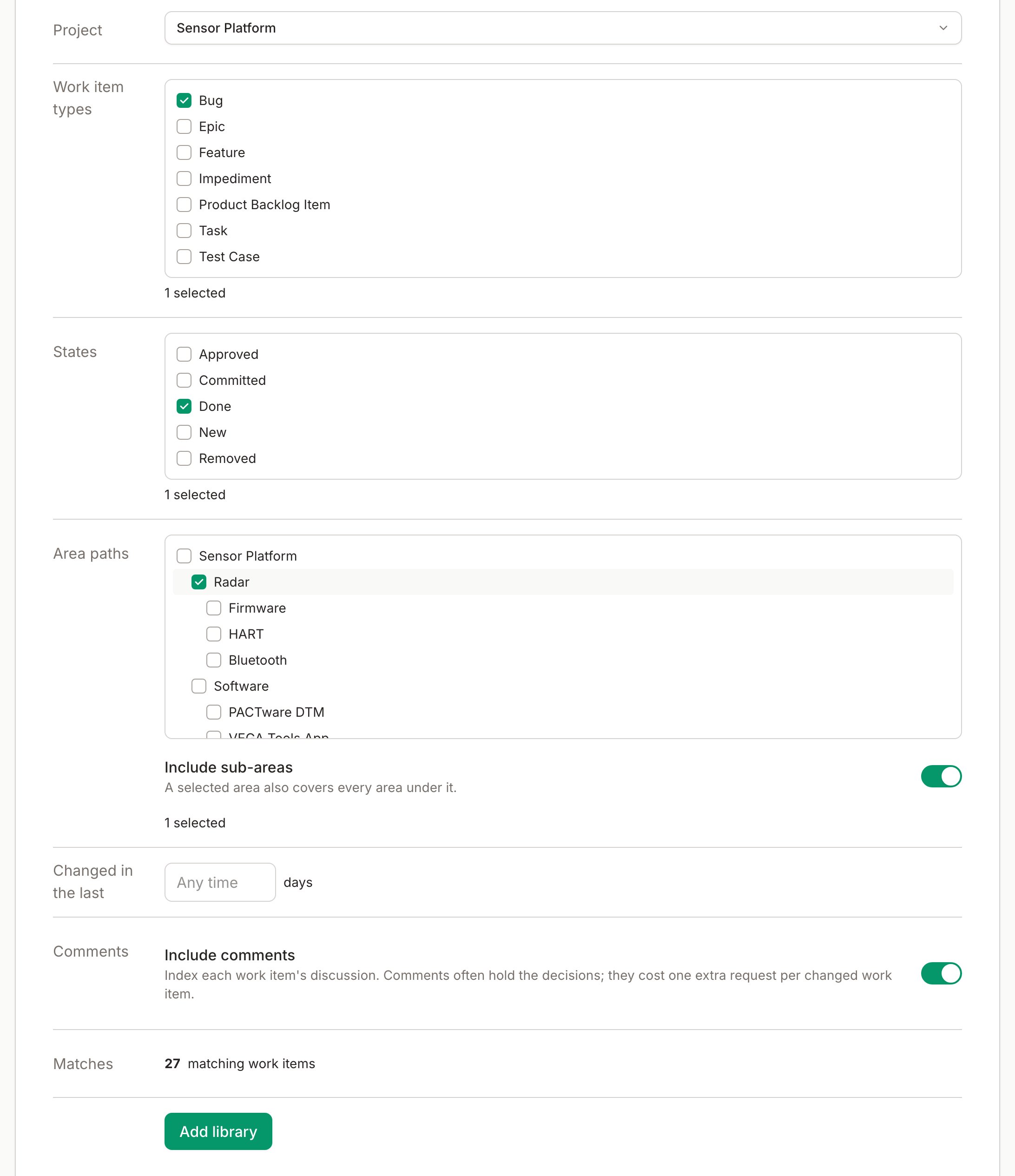
3
Add the library
Choose Add library. Context7 fetches the work items and indexes them.
Sensor Platform\Radar.
A library indexes at most 20,000 work items. If more match, it keeps the newest (highest IDs) and shows a warning. Narrow the filters, or change Max work items per Azure DevOps library in Workspace Settings › Parsing (or AZURE_DEVOPS_MAX_WORK_ITEMS): 1–200,000, or no limit.
Sync
Libraries sync daily at 03:30 in the server time zone. Change or turn off the schedule in Workspace Settings › Azure DevOps, or choose Sync all now. To sync one library, choose Refresh on it. Only admins can sync.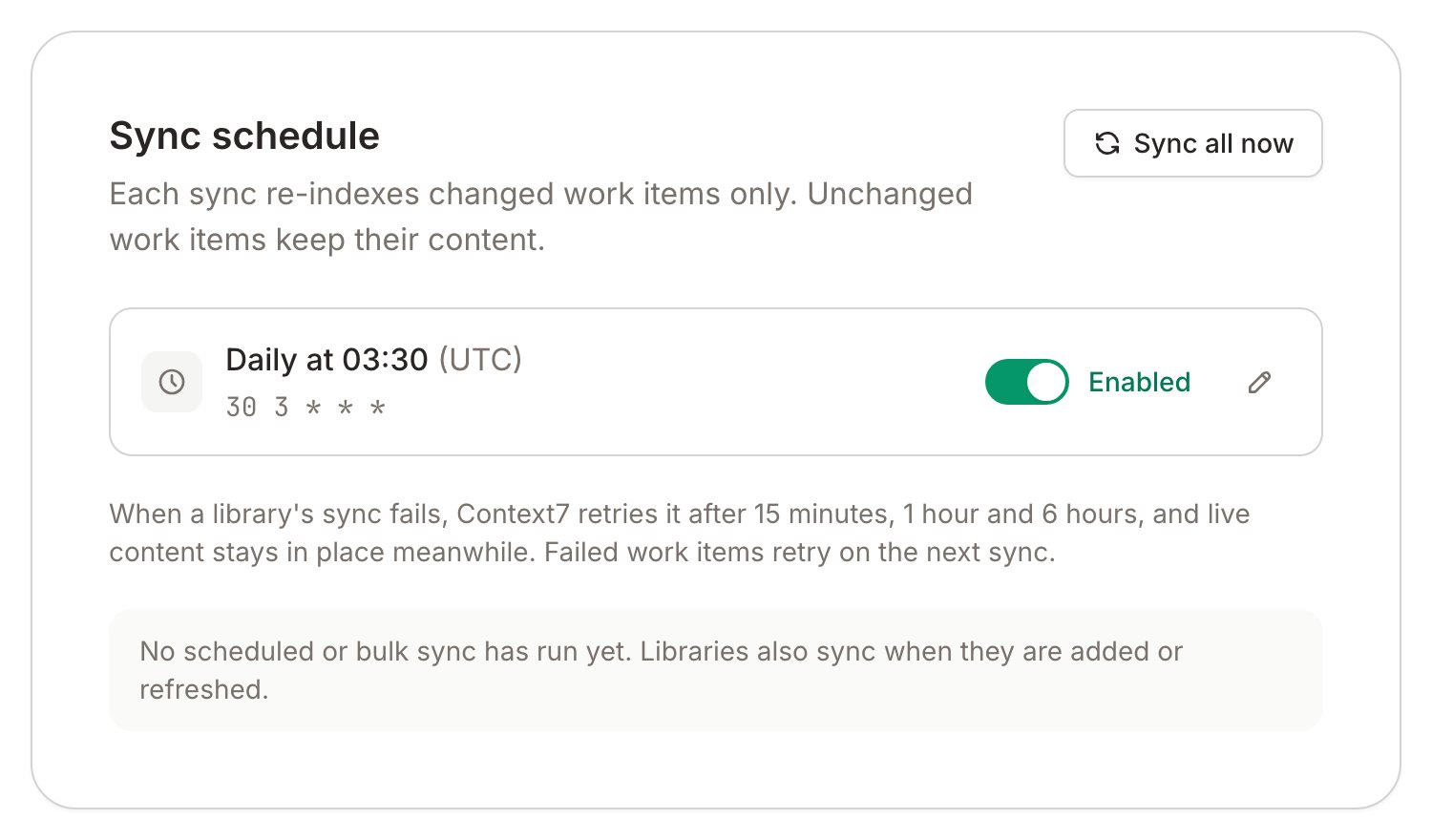
When a sync fails
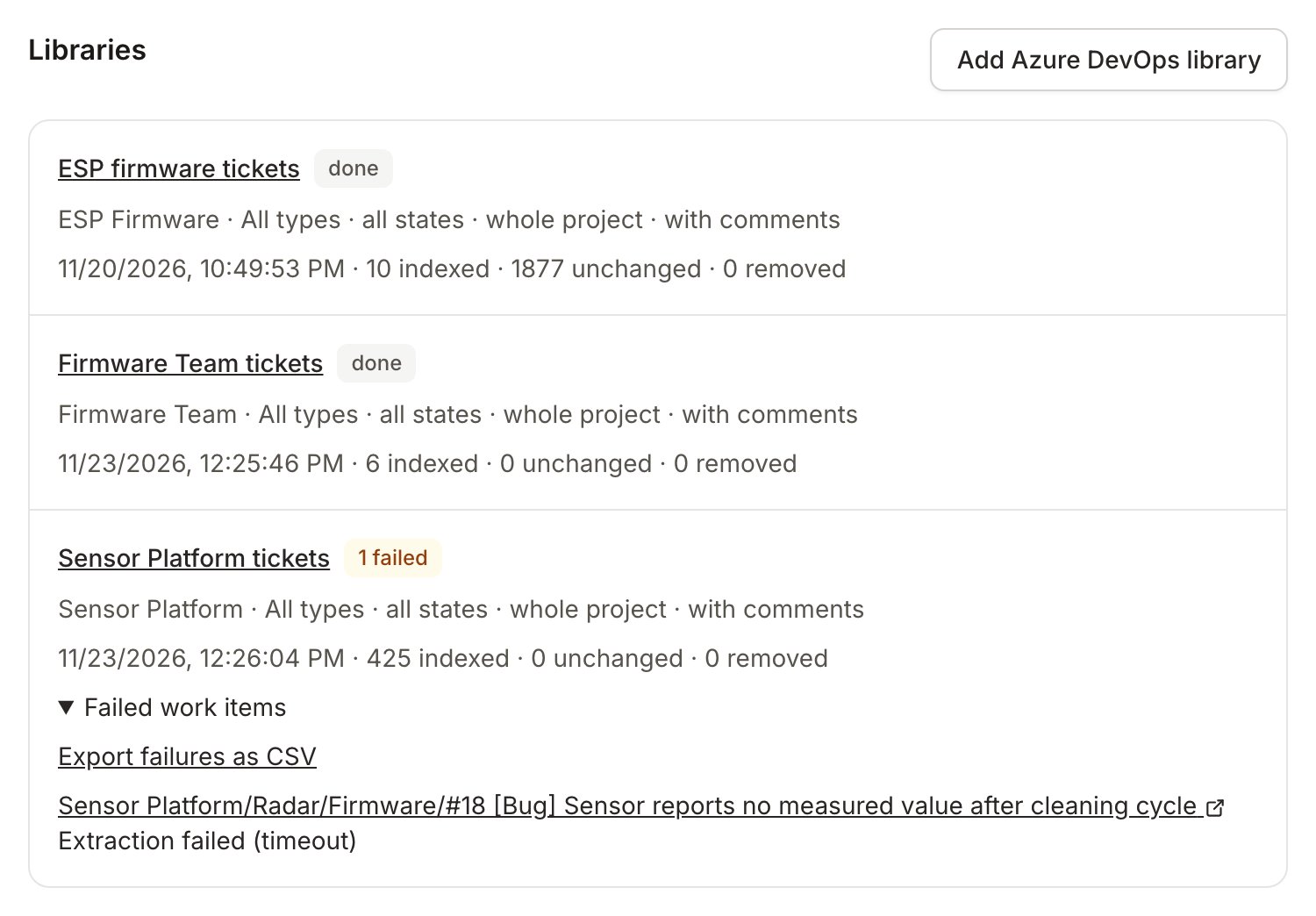
Context7 keeps the indexed content:- The listing fails, for example because the credential expired or the project is gone. The library keeps its work items and shows the error. Context7 retries after 15 minutes, 1 hour and 6 hours.
- A work item fails. It keeps its last indexed version and is retried on the next sync. The library lists it; choose Export failures as CSV for the full list.
- A sync would remove too many work items: all of them, or more than half of a library with 20 or more, with unchanged filters. Context7 stops and keeps the index, because the credential has usually lost access. If the removal is expected, choose Refresh with Re-index all work items.
Access and network
The credential controls what Context7 can read. Library access controls who can query it. A new Azure DevOps library is restricted to admins until you grant access, and a sync never changes the access you set. Allow outbound HTTPS to your organization URL (dev.azure.com or your server), and to login.microsoftonline.com for a service principal.
Wikis and repos
A project wiki and a Git repository in Azure DevOps are Git repositories. Index them through Other Git:1
Configure Other Git
Create a personal access token with the Code (Read) scope for a service account. In Workspace Settings › Other Git, select HTTPS, enter
dev.azure.com (or your server) as the host, any user name, and the token as the password.2
Add the wiki or repository
Click Add source, choose Other Git, and enter the clone URL:
- Project wiki:
https://dev.azure.com/<organization>/<project>/_git/<wiki>.wiki. Find it in the wiki under ••• → Clone wiki. - Repository:
https://dev.azure.com/<organization>/<project>/_git/<repository>
%20, for example https://dev.azure.com/acme/Firmware%20Team/_git/Firmware-Team.wiki. A wiki published from a repository is a normal repository.Other Git stores credentials for one host. If you use it for another host, you cannot also use it for Azure DevOps with HTTPS credentials.