

Running GitHub Enterprise Server instead of github.com? Point Context7 at your server first. See GitHub Enterprise Server.
GitHub App
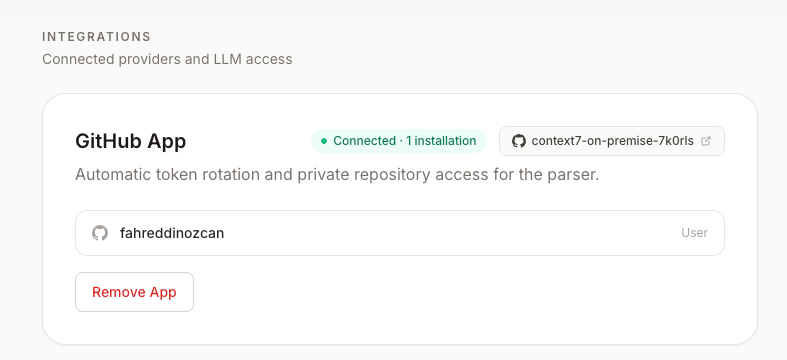
The GitHub App is the recommended option. It gives Context7 fine-grained access to only the repositories you select, rotates short-lived access tokens automatically, and delivers webhooks for push-triggered GitOps syncs. Connecting the App is two steps: first create the App, then install it on your repositories.1
Create the App
Go to Settings → Integrations and choose Set up GitHub App. Context7 generates a pre-filled App manifest and sends you to GitHub to create the App in one click. You are redirected back and Context7 stores everything it needs automatically: the App ID, private key, client ID and secret, and the webhook secret.
2
Install the App
After it is created, install the App on the account or organization that owns your repositories, and grant it access to the repositories you want to index (including your GitOps manifest repository, if you use GitOps).
Verify the App configuration
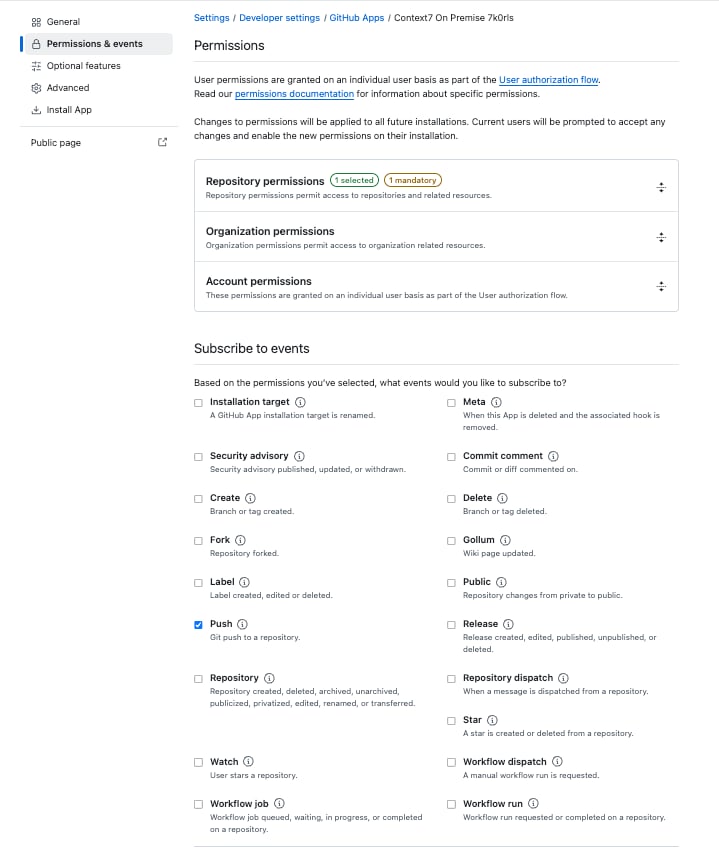
The setup flow configures everything below automatically, so a newly created App is ready to use. Use this section to confirm the App, or to fix an App you connected before GitOps existed (it will be missing the push event; see Webhooks). Open the App atgithub.com/settings/apps.
Under Permissions & events, the repository permissions are granted and the Push event is subscribed:
Personal access token
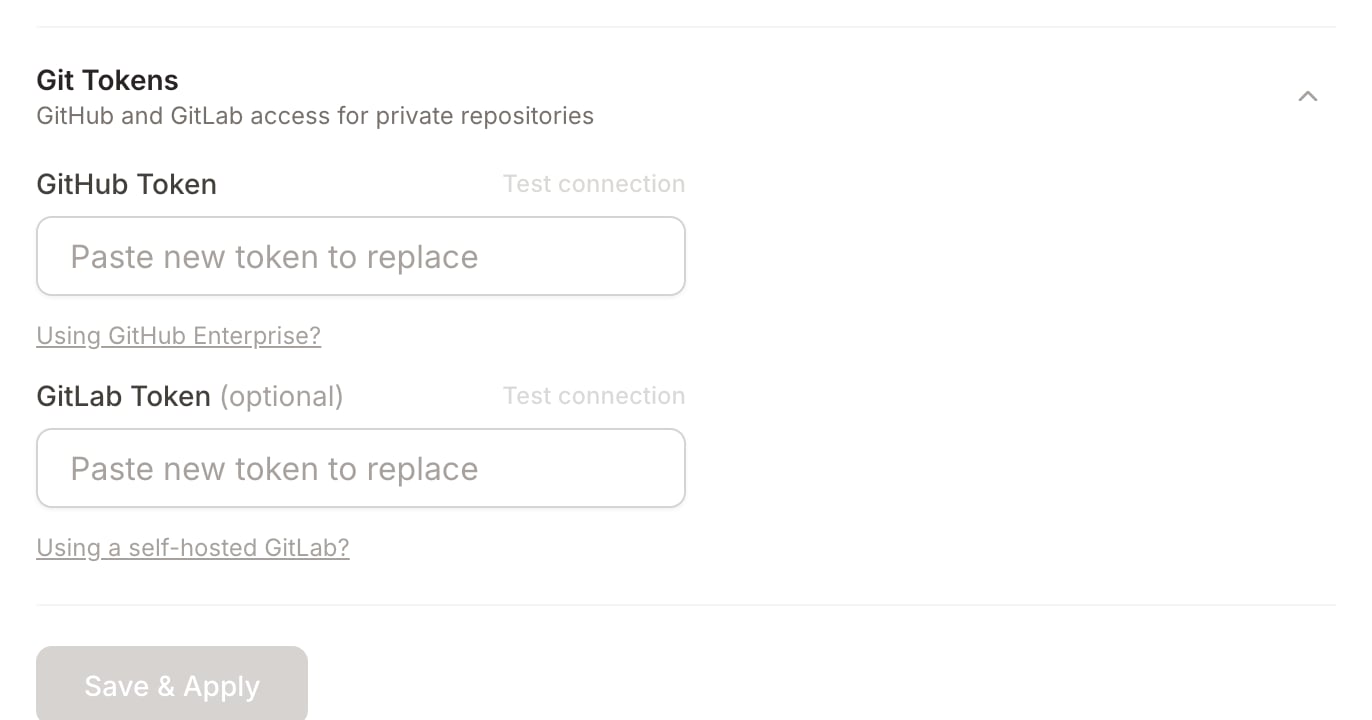
As a simpler alternative, add a GitHub personal access token under Settings → Integrations. Use a token with therepo scope for private repository access.
GitHub Enterprise Server
Context7 works with GitHub Enterprise Server, not only github.com. Set your server host before you create the GitHub App or add a token, so the App is created on your own server instead of github.com.1
Set your GitHub Enterprise host
Open Settings → Integrations → Git Tokens and select Using GitHub Enterprise?. Enter your server host, for example
github.your-company.com (no https://), then choose Save & Apply.2
Create the App or add a token
Now follow GitHub App or Personal access token above. The App manifest, installation, sign-in, and all API calls target your server. Before you create the App, the GitHub App card shows the server it will use, so you can confirm it is not github.com.
https://<your-host>/api/v3, and your server must reach Context7 at its webhook URL for push delivery.
Prefer to set this at deploy time, for example as part of a disaster recovery rebuild? Set the
GITHUB_URL environment variable to your server URL, such as https://github.your-company.com. A host saved in the UI takes precedence over the environment variable when both are set.Webhooks
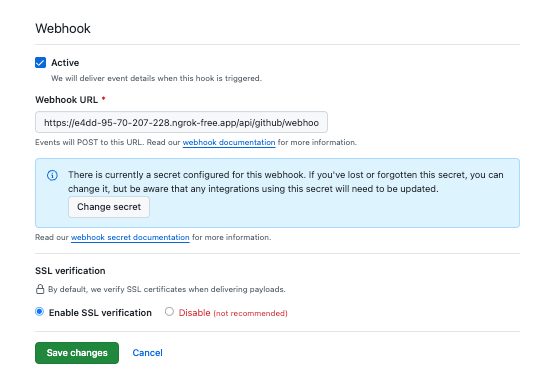
When the GitHub App is connected, GitHub deliverspush events to https://<your-host>/api/github/webhook. Context7 verifies each delivery’s signature against the App’s webhook secret and uses pushes to drive GitOps reconciliation: a push to a GitOps manifest repository triggers an immediate sync.
For delivery to work:
- Your instance must be reachable from GitHub at the webhook URL. An instance behind a firewall that GitHub cannot reach will not receive webhooks.
- The App must be subscribed to push events (new App setups are configured this way automatically).