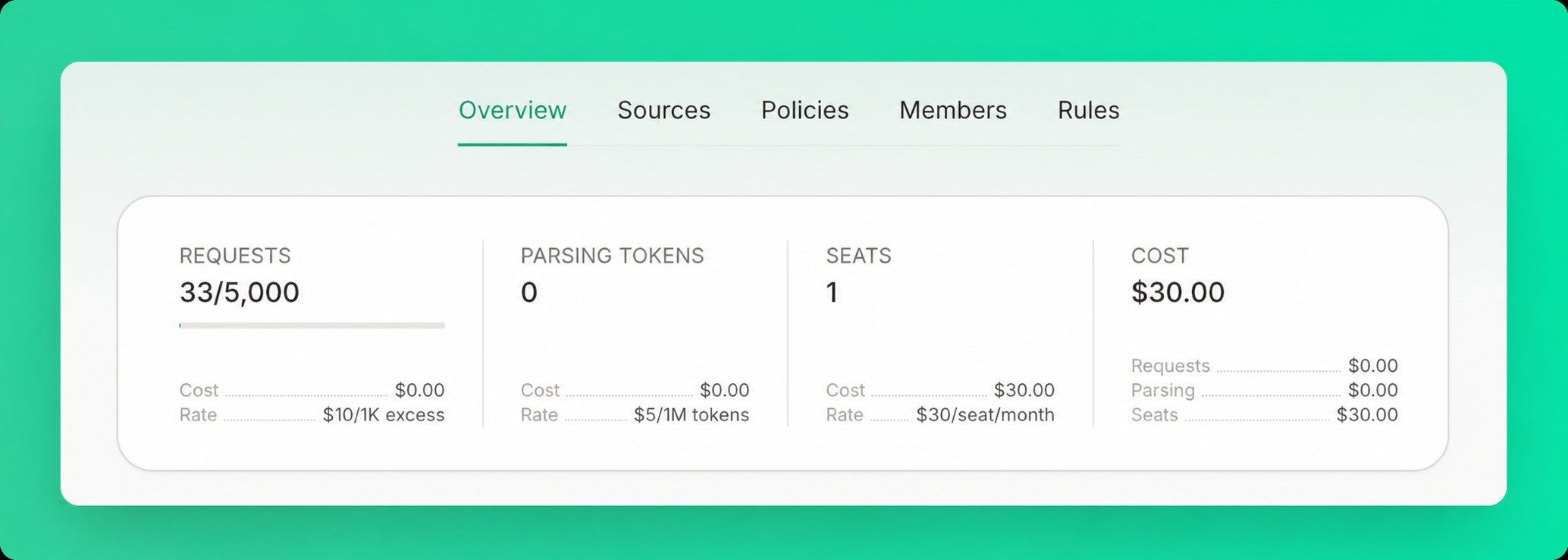
Track your Context7 usage with real-time metrics from the Overview tab on your teamspace dashboard. Usage statistics card showing requests, parsing tokens, seats, and cost breakdown

Metrics Overview

The Overview tab displays four metrics:

Requests

The total number of API calls made to Context7, shown against your plan’s included quota. Requests within your quota are free; excess requests are billed based on your plan.

Parsing Tokens

The total tokens processed when parsing private source documentation (Pro and Enterprise only).
  • Charged when adding a new private source
  • Charged for changed content when refreshing
  • No charge for cached content when refreshing

Seats

The number of members in your teamspace. Each seat is billed monthly based on your plan.

Cost

Your total monthly cost in USD, with a breakdown of each component: request overages, parsing tokens, and seats. See Plans & Pricing for current rates and included quotas.

Reporting Periods

Free Plan: Metrics display daily usage (resets every 24 hours) Pro & Enterprise Plans: Metrics display monthly usage (resets on your billing date)