

The Google provider has two options. Google AI Studio uses a Gemini API key. Google Vertex AI uses a Google Cloud project, as this page describes.
Prerequisites
- A Google Cloud project with the Vertex AI API (
aiplatform.googleapis.com) turned on. - For Claude models, each model enabled for the project in Vertex AI Model Garden. Gemini models need no extra step.
- Network access from Context7 to
aiplatform.googleapis.com, or to a regional host such aseurope-west4-aiplatform.googleapis.com.
Set up the identity
You set up the identity where Context7 runs, not in the Context7 dashboard. Give it the Vertex AI User role (roles/aiplatform.user) on the project.
- GKE
- Compute Engine VM
- Service account key
- Local testing
Use Workload Identity. Context7 gets short-lived tokens from GKE, so no key is stored anywhere. Autopilot clusters have Workload Identity on. On a Standard cluster, turn it on first.
-
Create a Kubernetes service account in the Context7 namespace:
-
Give it the Vertex AI User role. Replace
PROJECT_IDandPROJECT_NUMBER: -
Run the Context7 pods as that service account.
With the Helm chart, add this value to the command you install or upgrade with:
With your own manifests, set it in the pod spec of the Deployment or StatefulSet:
Configure Context7
1
Choose Google Vertex AI
In the setup wizard, select Google, then Google Vertex AI, and enter: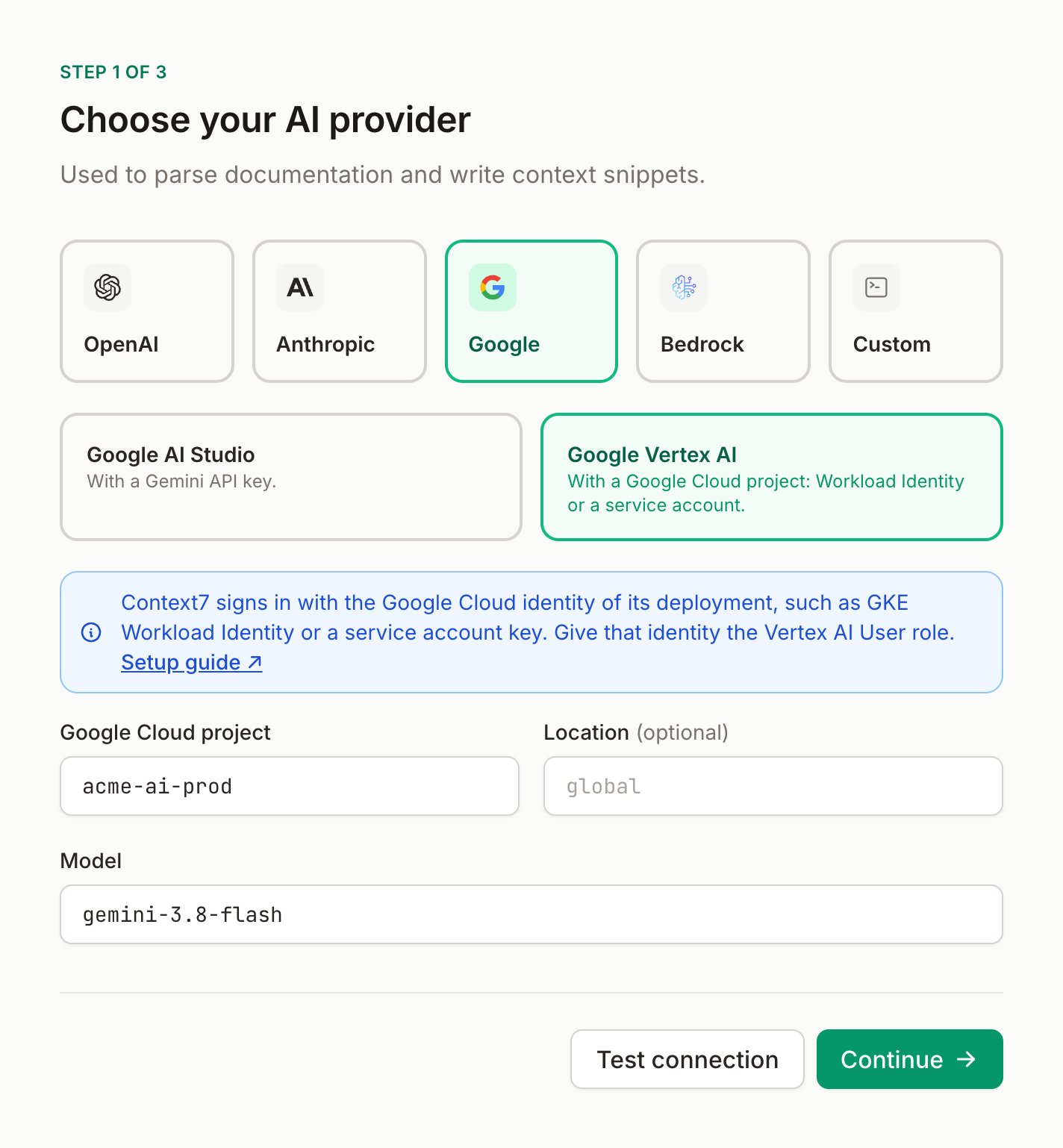
Values in the dashboard take precedence over these variables.
2
Choose the embeddings
Select Same as LLM to use Vertex AI embeddings with 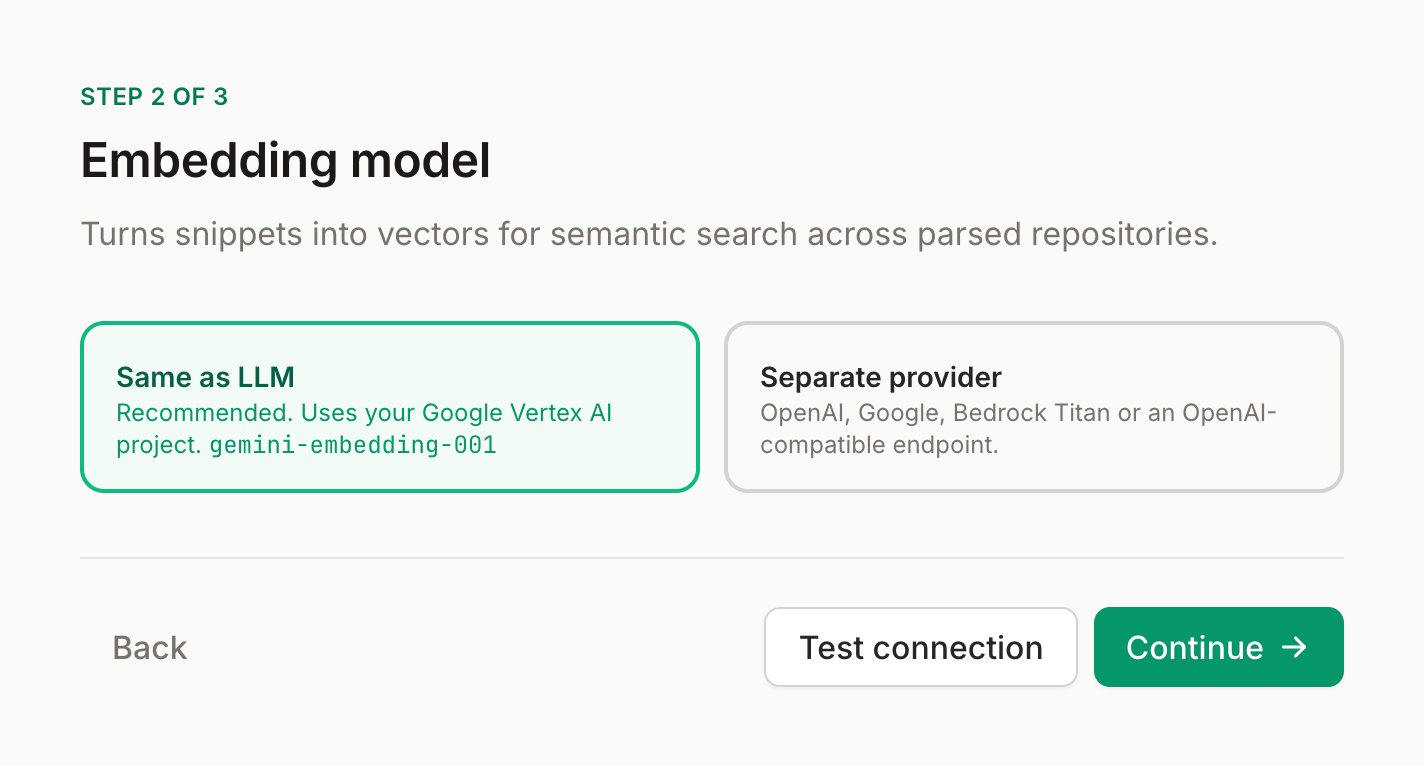
gemini-embedding-001.3
Test
Select Test connection on each step, finish the wizard, and parse a small repository. Then query it to check that search works.
Change the settings
Open Workspace Settings in the top bar and select AI models under Indexing. Change the project, location, or model in the Language model card, select Test connection, then Save and apply.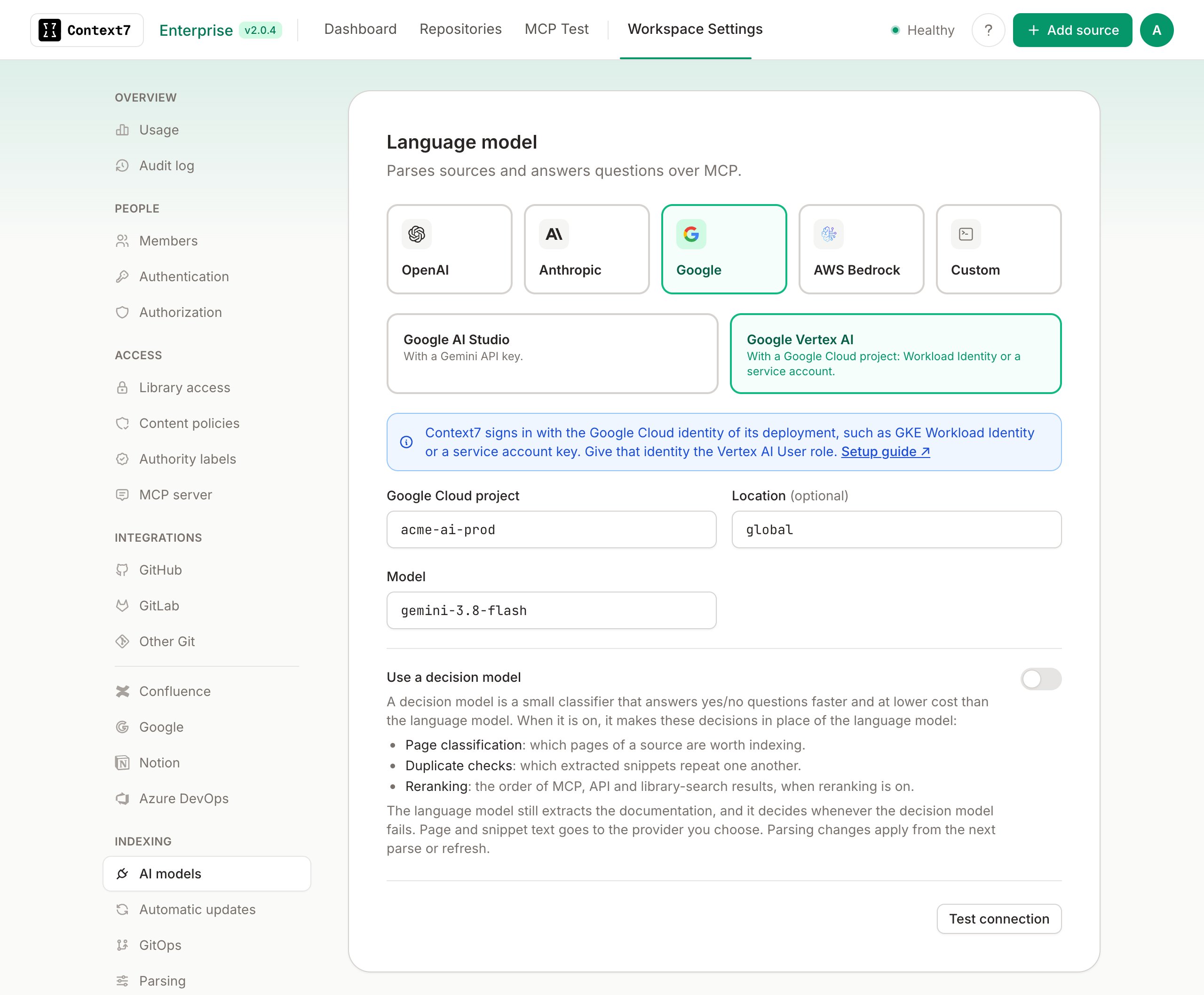
Models
- Reranking uses
gemini-3.5-flash-liteunless you set a rerank model. - The
globallocation has the newest models. Regional locations have fewer, so check that yours serves the model you pick. gemini-embedding-2is available only inglobal.
If your organization blocks structured outputs for partner models (
constraints/vertexai.allowedPartnerModelFeatures), Context7 asks Claude for plain-text JSON instead. Parsing keeps working, and the log shows one warning for each model.Egress proxy
If Context7 reaches Google only through a proxy, setHTTPS_PROXY. Context7 still connects directly to the GKE metadata server, so Workload Identity keeps working. See Egress proxy.
An offline Context7 license still needs network access to Google Cloud for Vertex AI. The selected Vertex AI models process the content that Context7 parses, embeds, and reranks.