

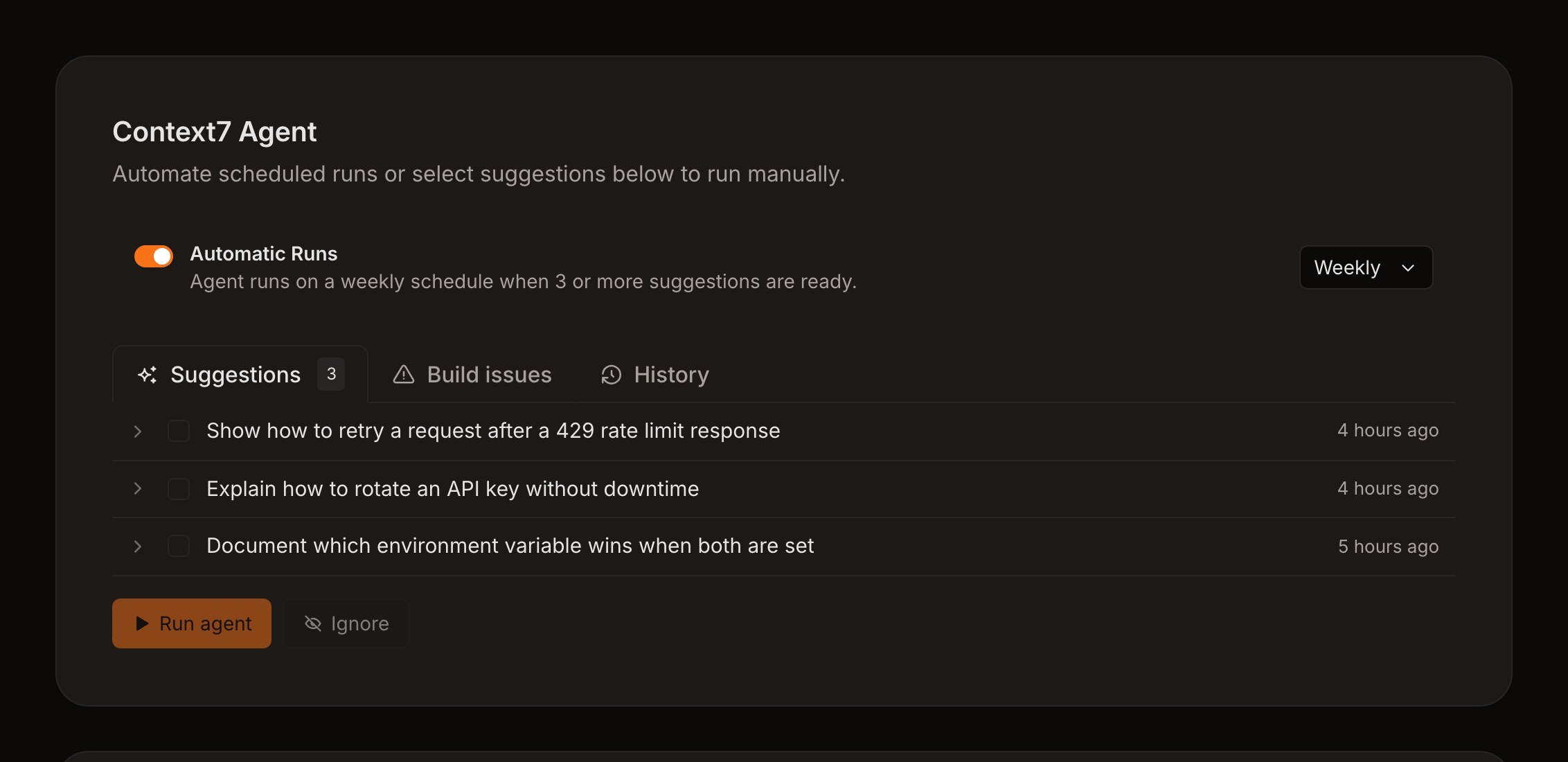
The Context7 Agent keeps suggestions, build issues, its schedule, and run history in one place.
- Context7 Agent fixes queued suggestions or build issues in a pull request.
- PR Review Agent reviews documentation changes in each eligible pull request.
- Code Watch Agent updates the docs when a pull request merges in your code.
- Monthly Checkup is a planned full-site review and is not available yet.
Context7 Agent
The Context7 Agent has two work queues.Suggestions
Suggestions come from Context7’s analysis of the indexed documentation. Each suggestion points to the source files that support it. Select up to 10 suggestions and click Run agent. The agent verifies each suggestion against the repository and edits only the configured docs path. If it produces supported changes, Docs7 opens one pull request.Build issues
Build issues come from the latest live production build. The queue includes fixable page errors, broken internal links, unknown components, and source warnings. Select up to 20 issues and run the agent. It checks each issue against the repository. If it produces supported fixes, Docs7 opens one pull request. Ignoring a suggestion or build issue removes it from the queue. It does not remove the issue from an older build’s Health report.Schedule
New sites start with the schedule disabled. Enable it and choose Daily or Weekly. A scheduled run starts only when at least three suggestions are waiting. It handles up to 10 suggestions in one pull request. The schedule does not run the build issue queue automatically. You can review completed, failed, and running work under History.PR Review Agent
The PR Review Agent runs after an eligible pull request preview finishes. It reviews only files inside the configured docs path and posts its findings in the pull request’s Docs7 summary.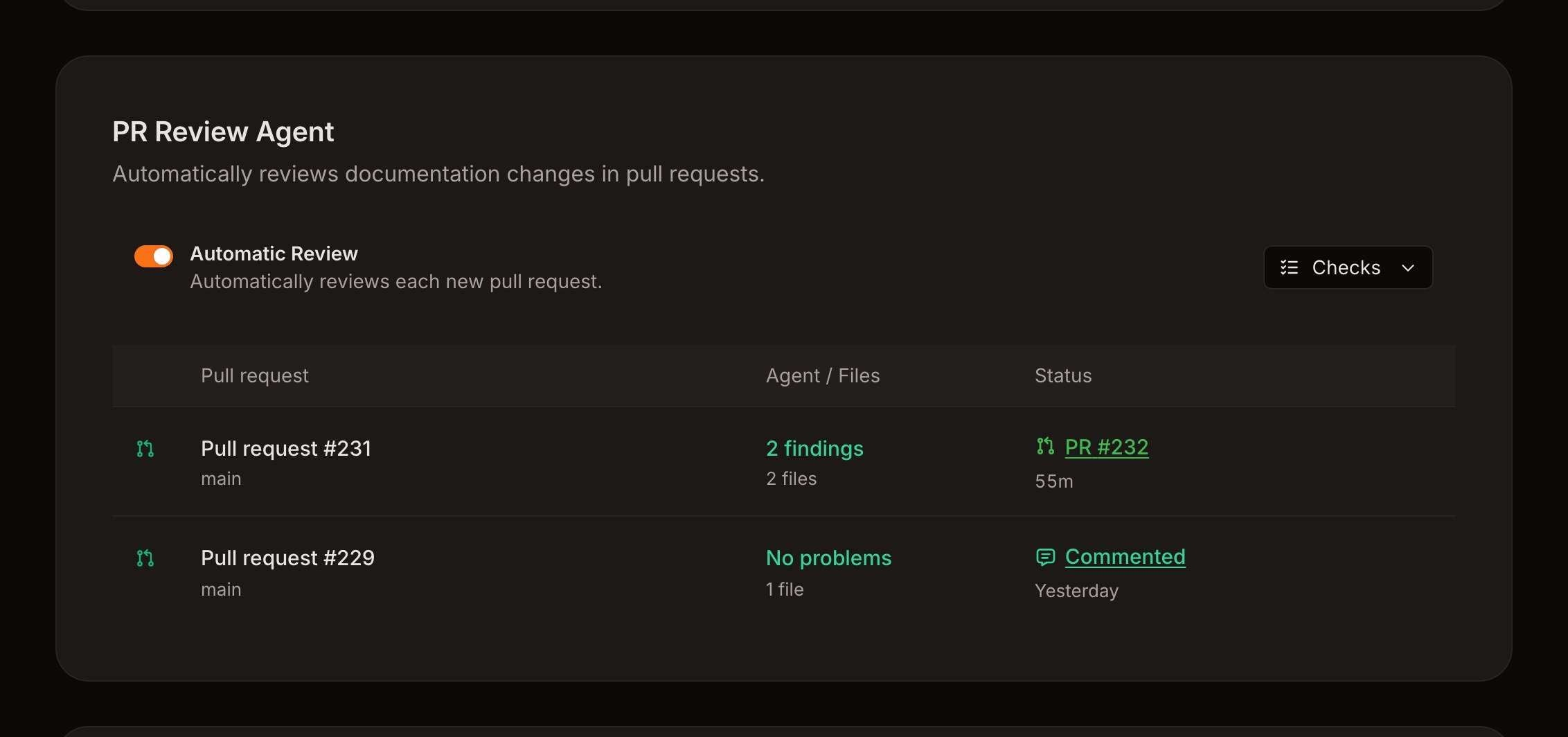
PR Review Agent settings control its response mode and the checks applied to pull requests.
Checks
Build health requires a hosted Docs7 site. The other checks can also run for a repository connected only for the agent.
Response modes
The findings comment is always posted. The response mode controls what happens to fixes:- Comment only reports findings and does not change files.
- Pull request opens a separate pull request with supported fixes.
- Commit pushes supported fixes to the pull request branch. If the branch refuses the push, Docs7 opens a pull request against it instead.
Do not make Docs7 PR Review a required GitHub check. Fork pull requests do not receive that check.
Code Watch Agent
The Code Watch Agent keeps your docs in step with your code. When a pull request merges into the default branch of a repository you chose, the agent checks whether readers of your docs need a change. If they do, Docs7 opens one docs pull request that links to the merged pull request. Most merges change nothing that readers see, and then the agent opens nothing.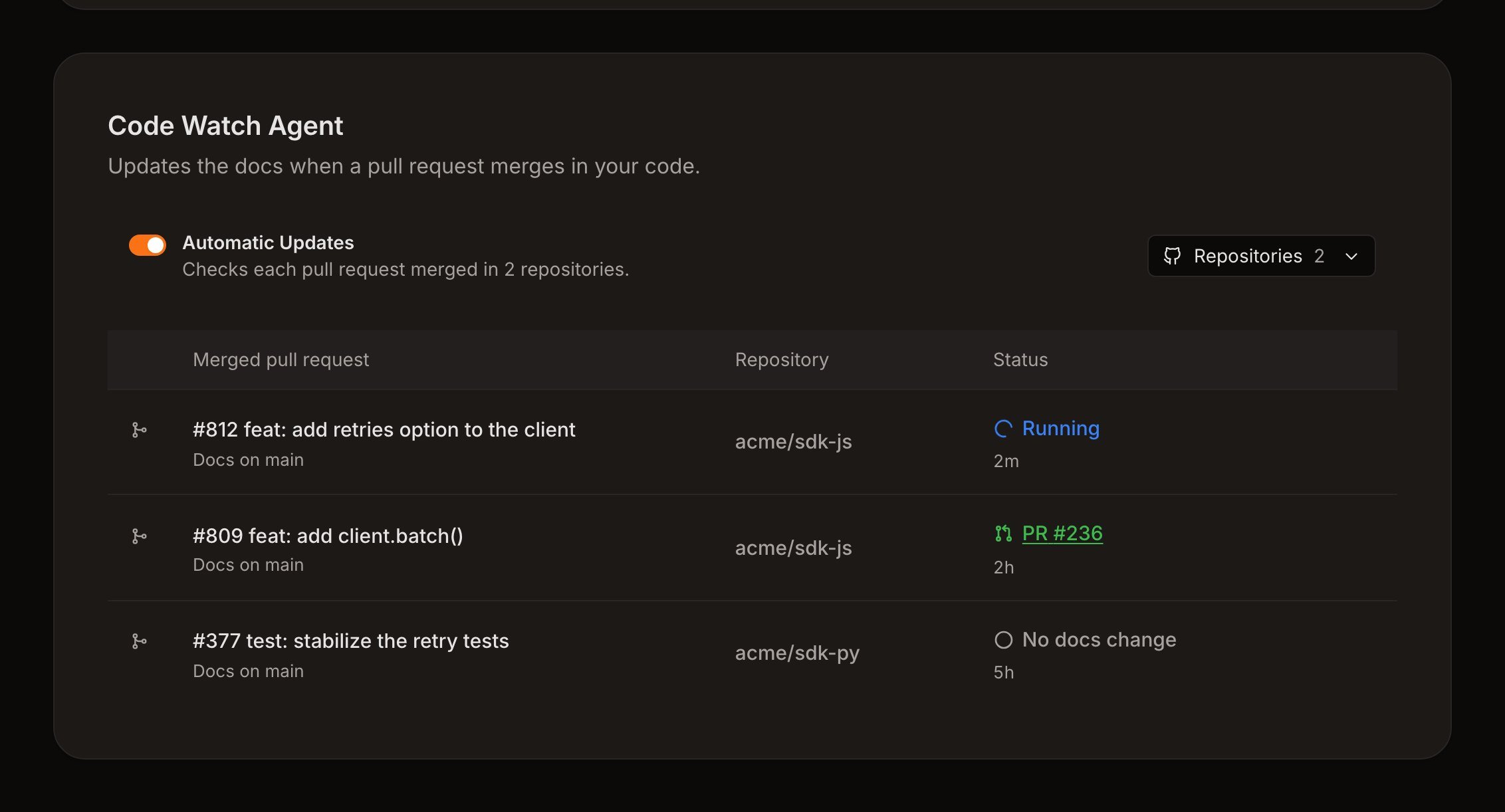
The Code Watch Agent lists each merged pull request it checked, with the docs pull request it opened or No docs change.
Choose repositories
Open Repositories and select up to 50 code repositories from the same GitHub account as your docs. The Docs7 GitHub App must have access to each one. Private repositories need Docs7 Pro. Then turn on Automatic Updates. If your docs are in a folder of the same repository as your code, that repository is already selected. Turn on Automatic Updates to start.What the agent checks
The agent reads the merged change and looks for what readers can notice: added, removed, or renamed functions, methods, commands, options, parameters, defaults, limits, environment variables, configuration keys, and documented behavior. It then searches your docs for each one:- If the docs already describe the change correctly, it changes nothing.
- If a page is now wrong, or a list of commands, methods, or options is missing the new item, it edits the docs and follows the structure and style of the nearby pages.
- pull requests opened by bots, such as release and dependency updates
- pull requests that change only tests, CI files, lockfiles, changesets, or changelogs
- pull requests that change only the docs, when the docs and code share a repository
- pull requests opened by Docs7 itself
Monthly Checkup
Monthly Checkup is coming soon.
- link checks
- grammar and spelling
- build health
- pages that no longer match their source
- and a code compilation check.
Safety and scope
Agent runs receive read access to the connected repository, and Code Watch runs receive read access to the code repository of the merged pull request as well. The agent can inspect repository source to verify a documentation change, but trusted Docs7 code publishes the resulting files through GitHub. Changes are limited to the configured docs path. When the docs path is the repository root, Docs7 still blocks common application paths, package manifests, lockfiles,.github, and .git from agent changes.