

Schedules work with every Git provider. GitHub App is currently the only integration that can trigger an immediate update from a push event. GitLab, Gerrit, Gitea, Bitbucket, and other providers use schedules, or an optional CI call to the repository refresh endpoint.
Automatic updates apply to Git repository sources. Website, Confluence, OpenAPI, and llms.txt sources are not included.
Configure updates
Open Settings → Indexing → Automatic Updates.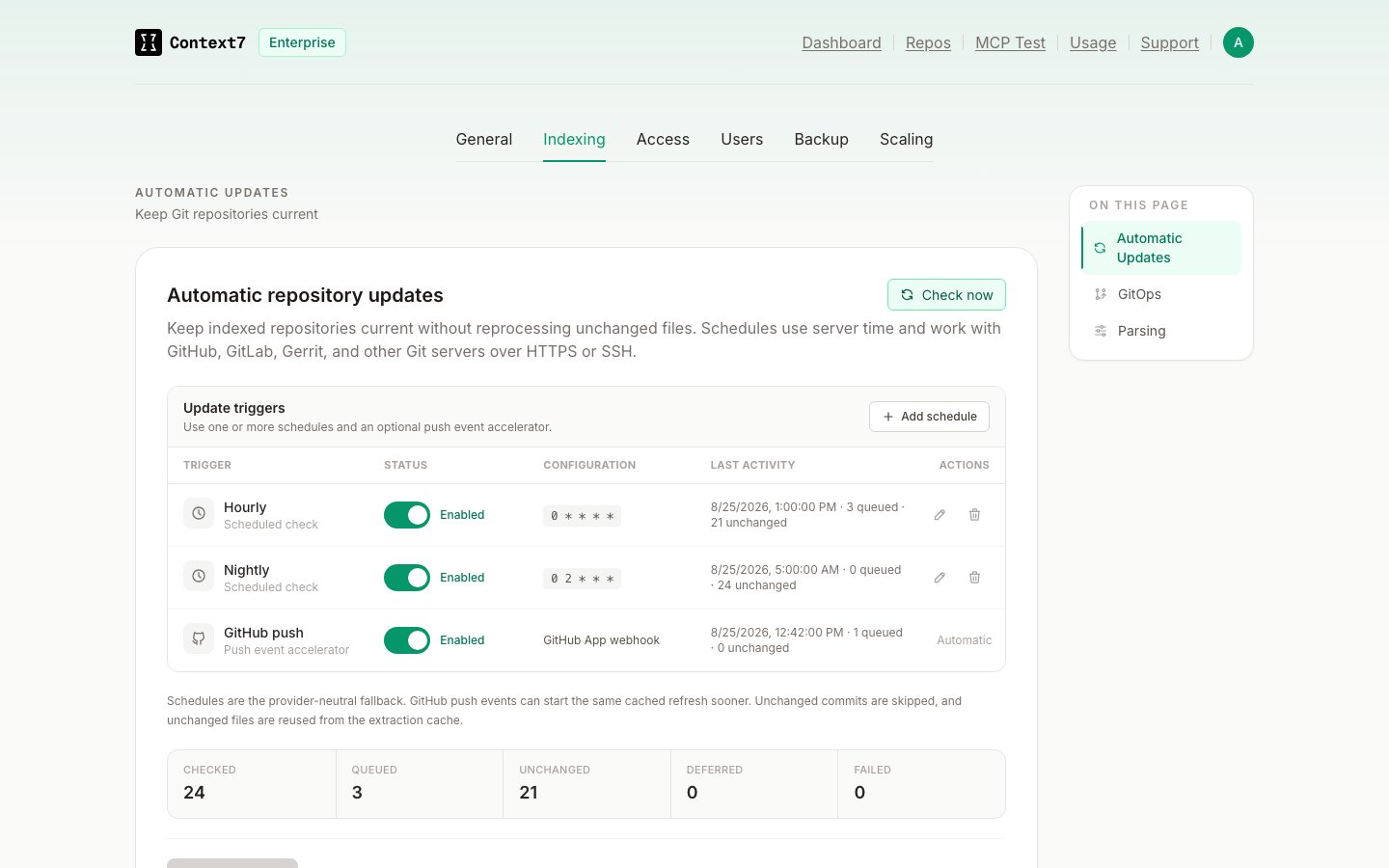
1
Add a schedule
Select Add schedule, choose a preset or enter a custom cron expression, then select Add.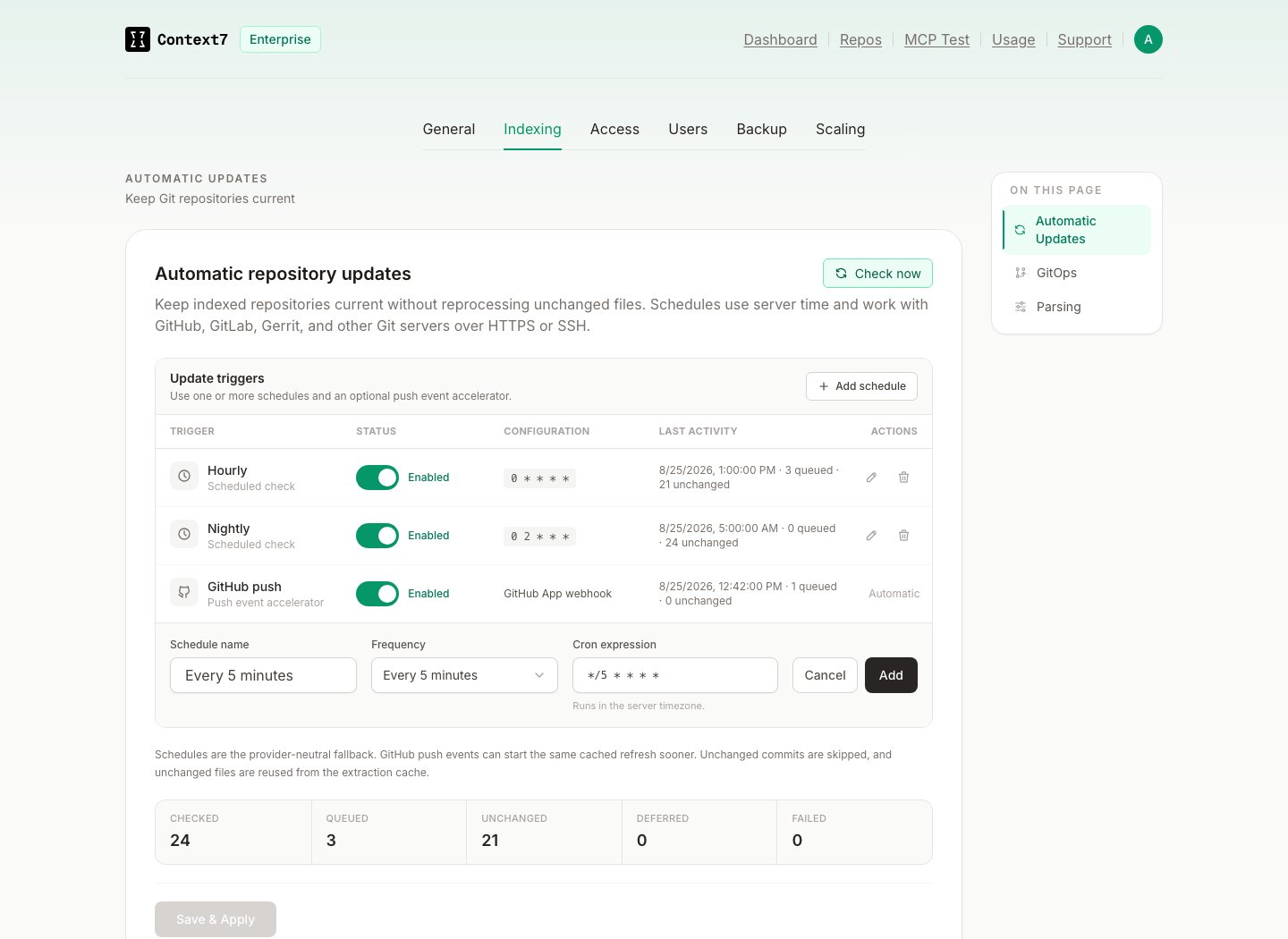
2
Optional: enable GitHub App push events
Turn on GitHub push to refresh matching repositories as soon as a push arrives. GitHub App is currently the only provider integration with this event-driven trigger. It requires an active webhook and the Push event subscription. See GitHub Integration.
3
Save the configuration
Select Save & Apply. Enabling at least one schedule also starts a repository check when Context7 starts.
Choose a trigger
Schedules are the provider-neutral automatic update mechanism. For GitLab, Gerrit, Gitea, Bitbucket, and other Git servers, use a schedule. You can also call the repository refresh endpoint from CI when an update must start immediately.
How checks and caching work
For each indexed Git repository, Context7 checks the configured branch on the remote:- If the remote commit matches the fully indexed commit, the repository is marked Unchanged and no parse is queued.
- If the commit changed, Context7 queues a normal refresh for that repository.
- During the refresh, files whose content and extraction settings have not changed reuse the extraction cache. This avoids repeating LLM extraction for unchanged files.
- Changed or new files are processed normally. Removed files are removed from the index when the refresh completes.
Retries and multiple instances
When an automatic refresh does not complete for a commit, Context7 retries immediately, then waits 15 minutes, 1 hour, and 6 hours between attempts. After four unsuccessful attempts for the same commit, automatic retries pause and an operator notice is recorded. Select Check now to retry a paused commit. A new commit starts a fresh retry sequence. In a multi-replica deployment, a shared lock prevents duplicate scheduled and manual scans. The shared parse queue also prevents duplicate active refreshes for the same repository.Read the activity summary
The trigger table also shows the last result for each schedule and for GitHub push events.
Automatic updates and GitOps
These features solve different problems and can be used together.Troubleshooting
- GitHub push cannot be enabled: Confirm the GitHub App webhook is configured and subscribed to Push events.
- A repository is not checked: Confirm it completed its first index and has a tracked branch.
- A check fails: Verify the repository credentials, branch name, DNS, TLS trust, and network access from the Context7 container.
- A refresh is deferred: Wait for the next retry, select Check now, or push a new commit.
- A schedule runs at the wrong time: Cron expressions use the server timezone. Check the container timezone and deployment configuration.