

Turn on OAuth
1
Set the public URL
Set
CONTEXT7_PUBLIC_URL to the origin that users and clients reach, such as https://context7.internal.yourcompany.com, and restart the container. It must use https (http only for localhost) and have no path, so a deployment under a path prefix cannot use OAuth.The issuer, the MCP resource (<public URL>/mcp) and the metadata URLs come from this value, never from request headers. Changing it later makes every issued token invalid.2
Choose the mode
In Workspace Settings › Authentication, turn on MCP authentication and choose what 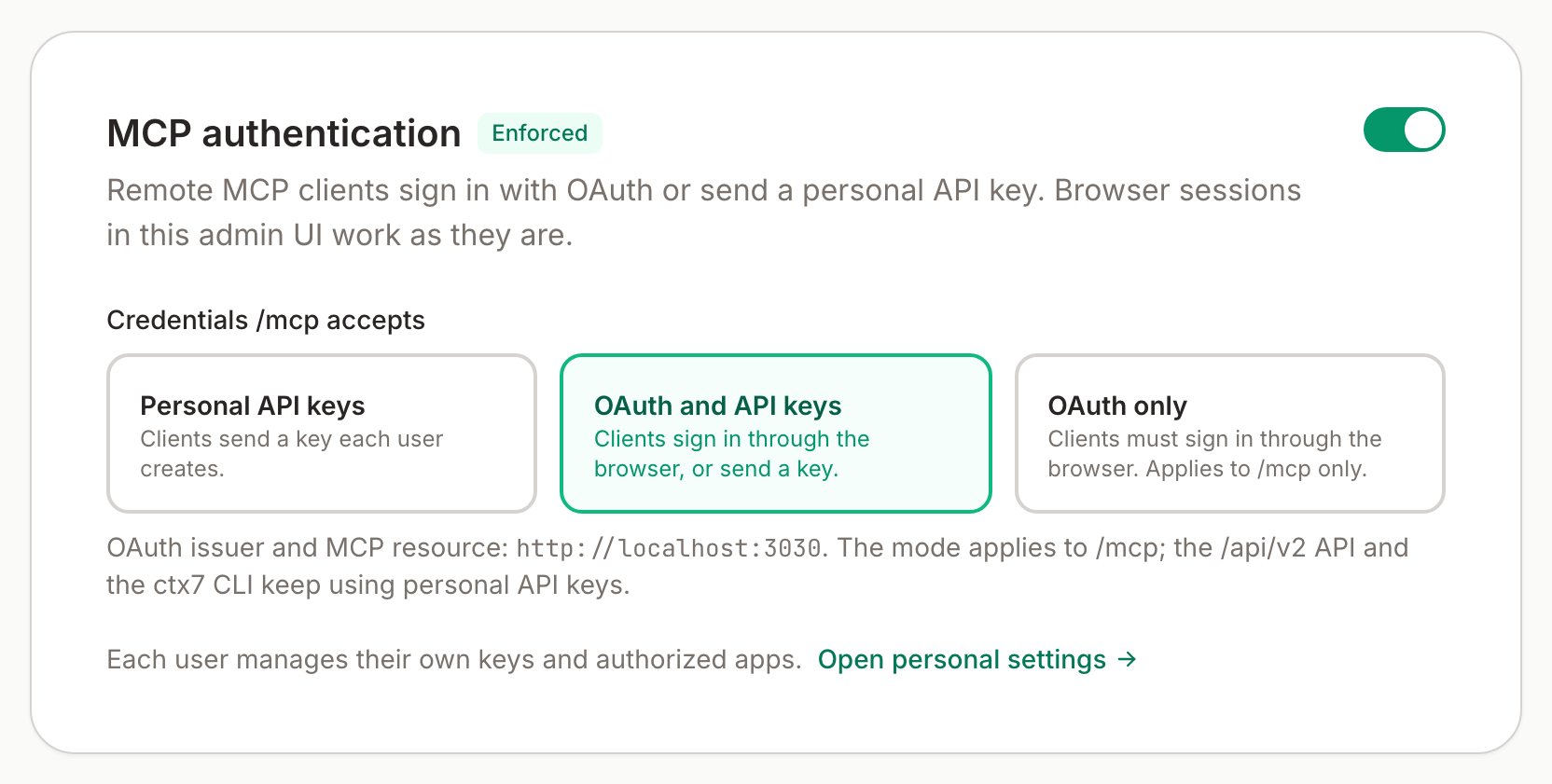
/mcp accepts:/mcp only: /api/v2, the other read endpoints and the ctx7 CLI keep using personal API keys. A dashboard session also works on /mcp, for the MCP test page.MCP authentication must be on: a client starts the sign-in only when /mcp answers 401. With it off, /mcp answers anonymous callers.3
Connect a client
Run
ctx7 setup --mcp --base-url <public URL>, or add <public URL>/mcp to the client with no Authorization header. The client starts the sign-in on its first request. Keyless setup needs ctx7 0.13.0 or later.CONTEXT7_PUBLIC_URL is removed, OAuth and API keys accepts only keys, and OAuth only accepts only dashboard sessions. The settings card and the server log say so.
Client registration
A client identifies itself in one of two ways:- Client ID metadata document (CIMD): the client ID is an
httpsURL, and the server fetches the client’s name and redirect URIs from it. The MCP specification prefers this method. - Dynamic client registration (DCR): the client registers at
/oauth/registerand chooses its own name. The specification keeps it for older clients.
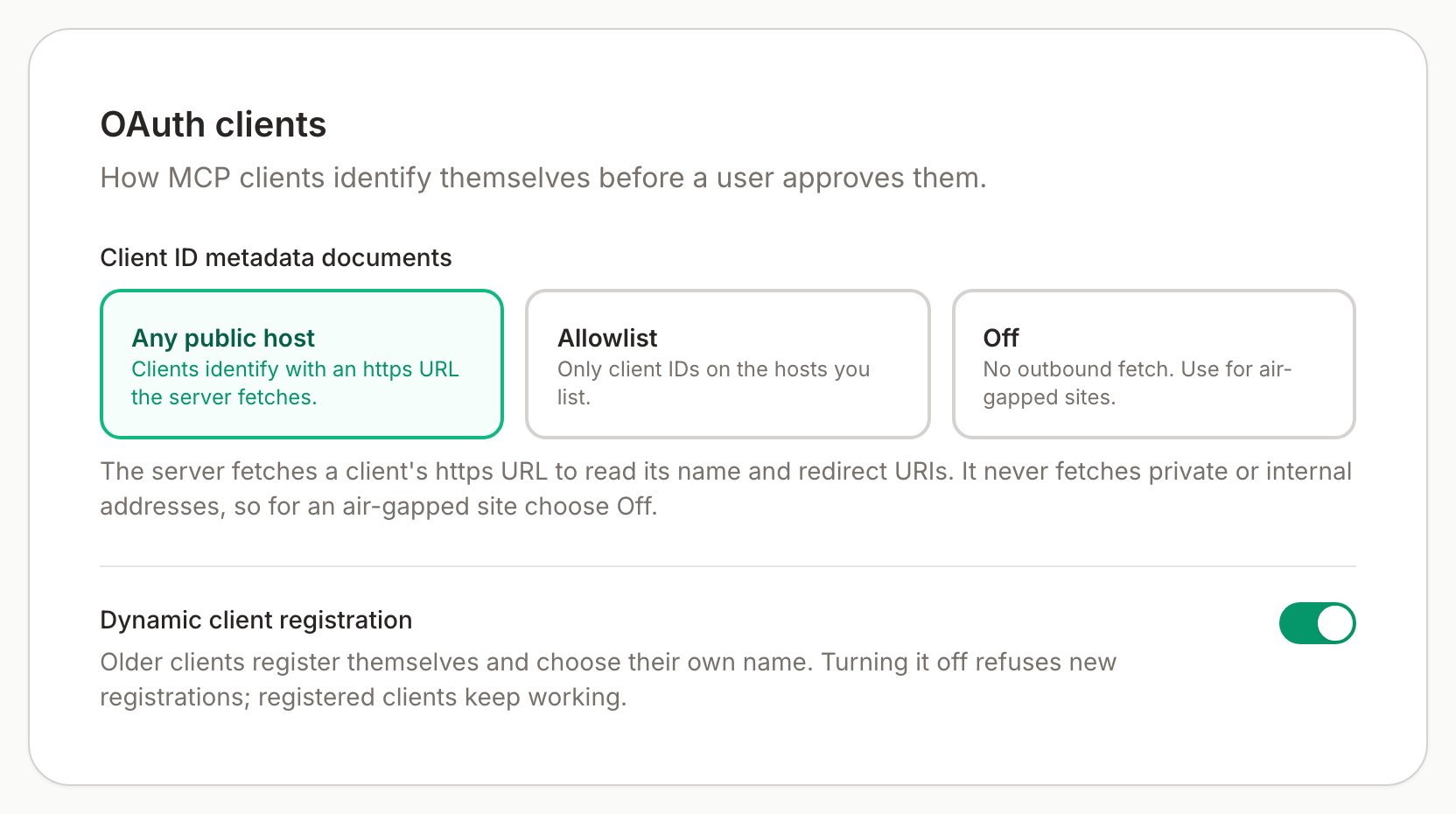
When a policy change refuses a client, its authorizations end.
DCR allows 10 registrations per address per hour and 1,000 unused registrations per day. Unused registrations are deleted after 7 days. Behind a reverse proxy or load balancer, every client shares the proxy’s address, so set
CONTEXT7_TRUSTED_PROXY_HOPS to the number of proxies, for example 1 for one ingress. A higher number lets callers choose their address.
Redirect URIs: an https URI must match a registered URI exactly. http://127.0.0.1, http://[::1] and http://localhost may use any port. Native schemes such as cursor:// and vscode:// are allowed. javascript:, data:, file: and plain http to other hosts are refused.
Sign in and approve
The client opens/oauth/authorize in the browser. A user without a session signs in with SSO or a password, and then sees the consent page. It shows the account, the app, its client ID, and where the browser goes back to. A DCR client chose its own name, so it is marked Self-registered.
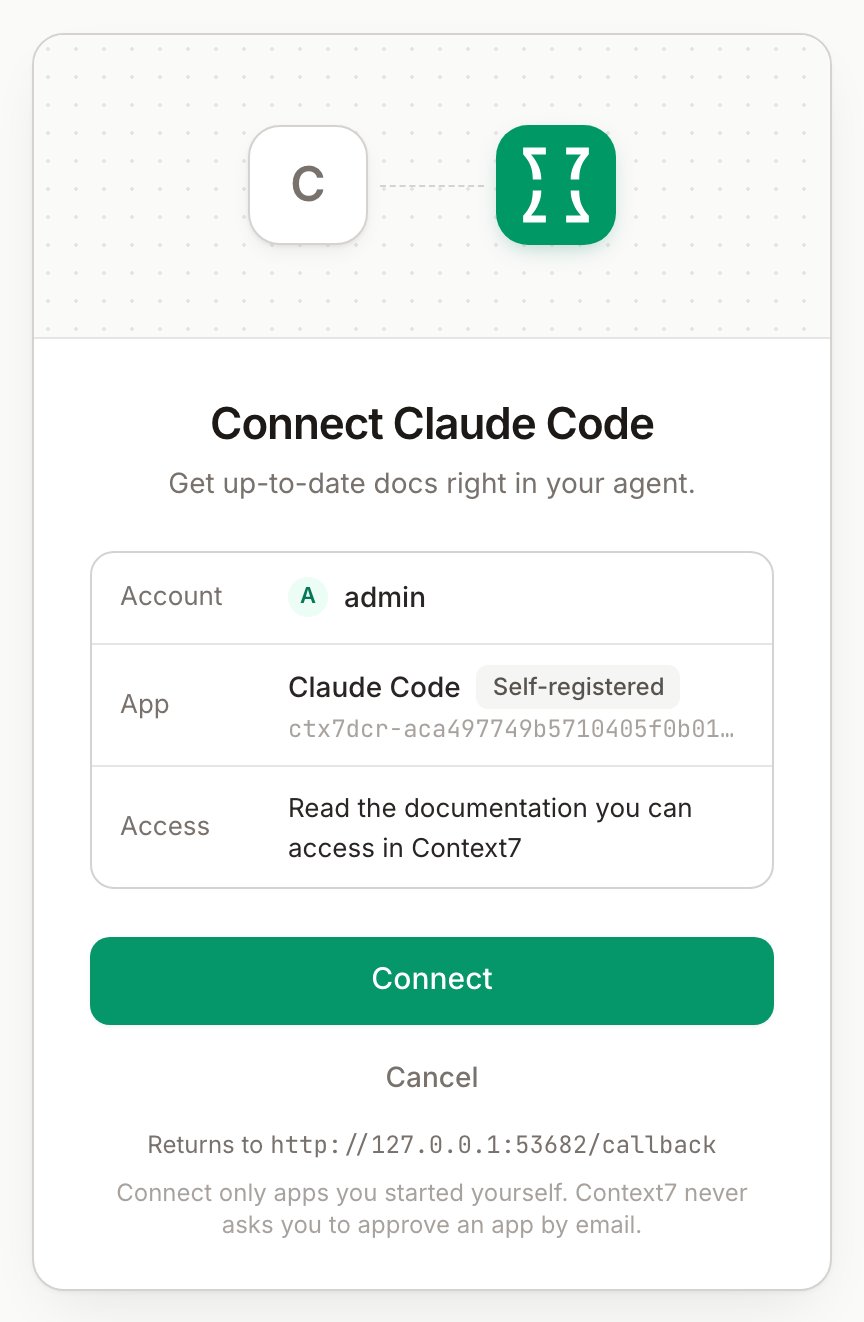
docs:read. A client reads what the user’s library access rules allow, as with the user’s personal API key.
For client developers: the client gets 401 with WWW-Authenticate: Bearer resource_metadata="<public URL>/.well-known/oauth-protected-resource/mcp", reads the protected resource metadata (RFC 9728) and /.well-known/oauth-authorization-server (RFC 8414), and uses PKCE (S256 only), state and resource=<public URL>/mcp. It exchanges the code at /oauth/token.
Authorized apps
Each user sees and revokes the clients they approved under Personal settings › Authorized apps. Admins see and revoke every user’s apps under Workspace Settings › Authentication.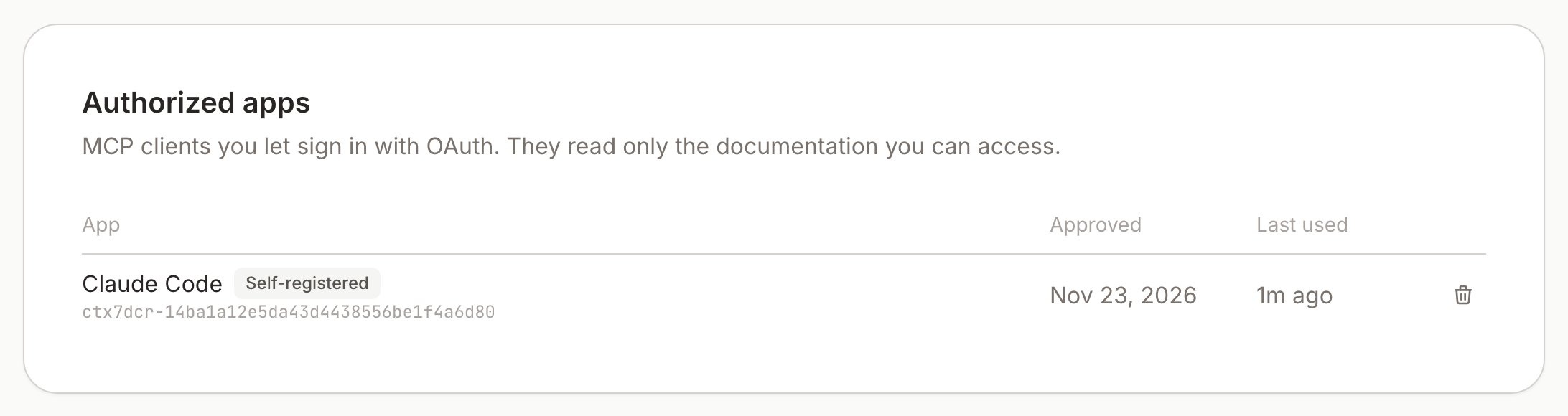
Security
After 30 days, the user signs in and approves again. Context7 on-premise has no SCIM, so to end access at once, disable the user in Context7.
Rotation: every refresh returns a new refresh token. If an old refresh token or a used authorization code comes back, the server revokes the authorization and writes a “token reuse” audit entry. Access tokens are checked against the user on every request, so a disabled or deleted user is refused at once.
An authorization ends when the user or an admin revokes it, an admin switches to Personal API keys or refuses the client, the client revokes its refresh token (
/oauth/revoke, RFC 7009), the user’s password changes or is reset, or an admin disables or removes the user. An SSO sign-out does not end it.
Storage: codes and tokens are stored only as SHA-256 hashes, and no client secrets are issued. Tokens start with ctx7oc-, ctx7oa- and ctx7or-, so logs and support bundles mask them. An access token works only on the /mcp resource of the deployment that issued it. In the OAuth modes, a dashboard session token sent as a bearer token is refused on /mcp.
CIMD fetch: the server fetches the client ID URL from inside your network, so the fetch is limited: https only, public addresses only (checked when each connection opens), no redirects, no query strings, at most 64 KB and 5 seconds. Documents are cached for 5 minutes to 24 hours. NODE_EXTRA_CA_CERTS applies.
Audit log: Workspace Settings › Audit log records registrations, approvals, denials, revocations with their cause, token reuse and changes to the OAuth settings. It never records a code, token or PKCE verifier.
Clickjacking and CSRF: the consent page and every /oauth answer refuse framing. Approval is a POST from the deployment’s own origin, bound to the signed-in user and to a signed request that expires after 10 minutes and works once.